

Are you frustrated by TikTok links redirecting to a web browser instead of opening in the app? You’re not alone! This issue is common on both iPhone and Android devices, but thankfully, there are several easy solutions. Whether the problem lies in your device settings, expired links, or app configurations, this guide will walk you through step-by-step methods to ensure TikTok links open directly in the app.
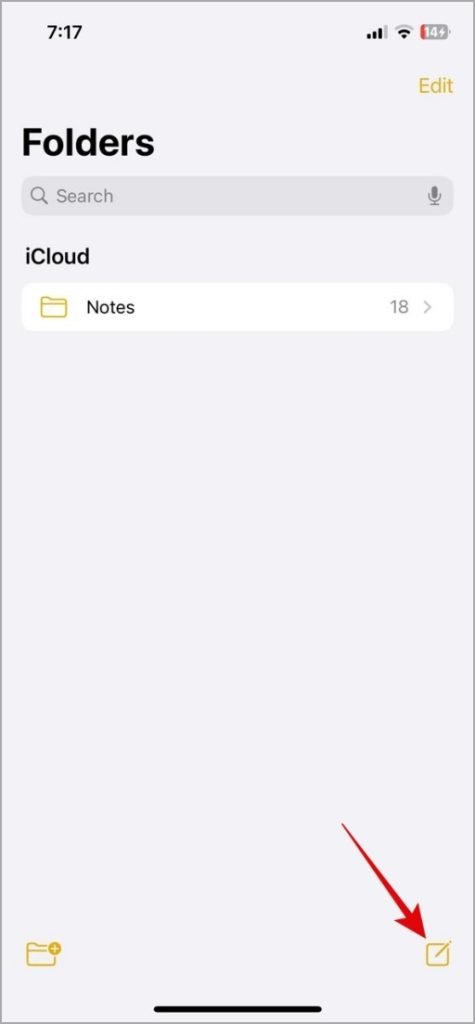
1. Open TikTok Links on iPhone: A Quick Workaround
On iOS, there isn’t a built-in option to force the TikTok app to open supported links automatically. However, you can use a simple workaround to bypass this issue:
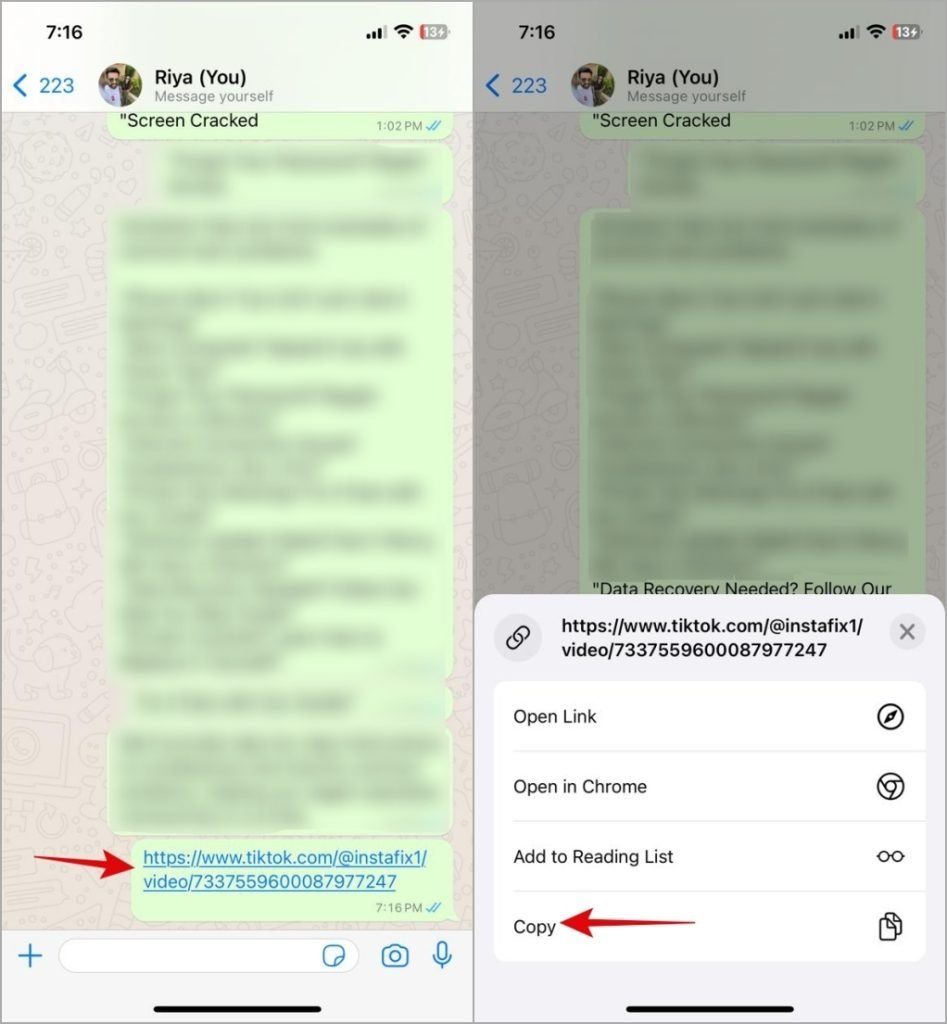
- Copy the Link: Tap and hold the TikTok link, then select Copy.
- Use the Notes App: Open the Notes app on your iPhone and create a new note.
- Paste the Link: Paste the copied TikTok link into the note.
- Open in TikTok: Long-press the pasted link in Notes and choose Open in TikTok from the menu.
This method helps TikTok links open directly in the app. If this workaround doesn’t work, double-check the validity of the link or try the troubleshooting steps mentioned below.
2. Verify the Link: Is It Incorrect or Expired?
Before trying advanced solutions, ensure the TikTok link you’re attempting to open is valid. Common issues include:
- Typos: Double-check the URL for errors.
- Expired Links: Some TikTok links expire after a specific time frame or become invalid.
If the problem is limited to one specific link, chances are the issue is with the link itself, not your app or device.
3. Configure TikTok to Open Supported Links on Android

Android users can easily configure the TikTok app to open supported links directly. Here’s how:
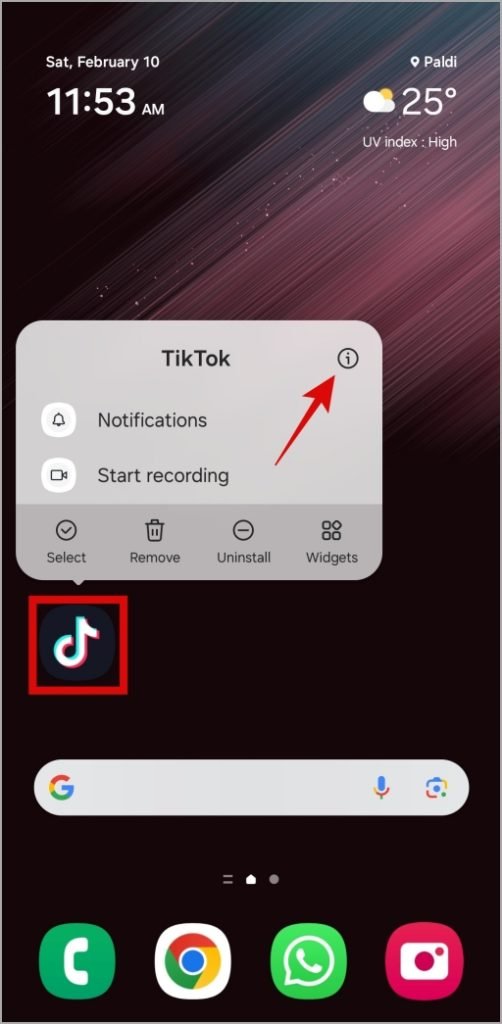
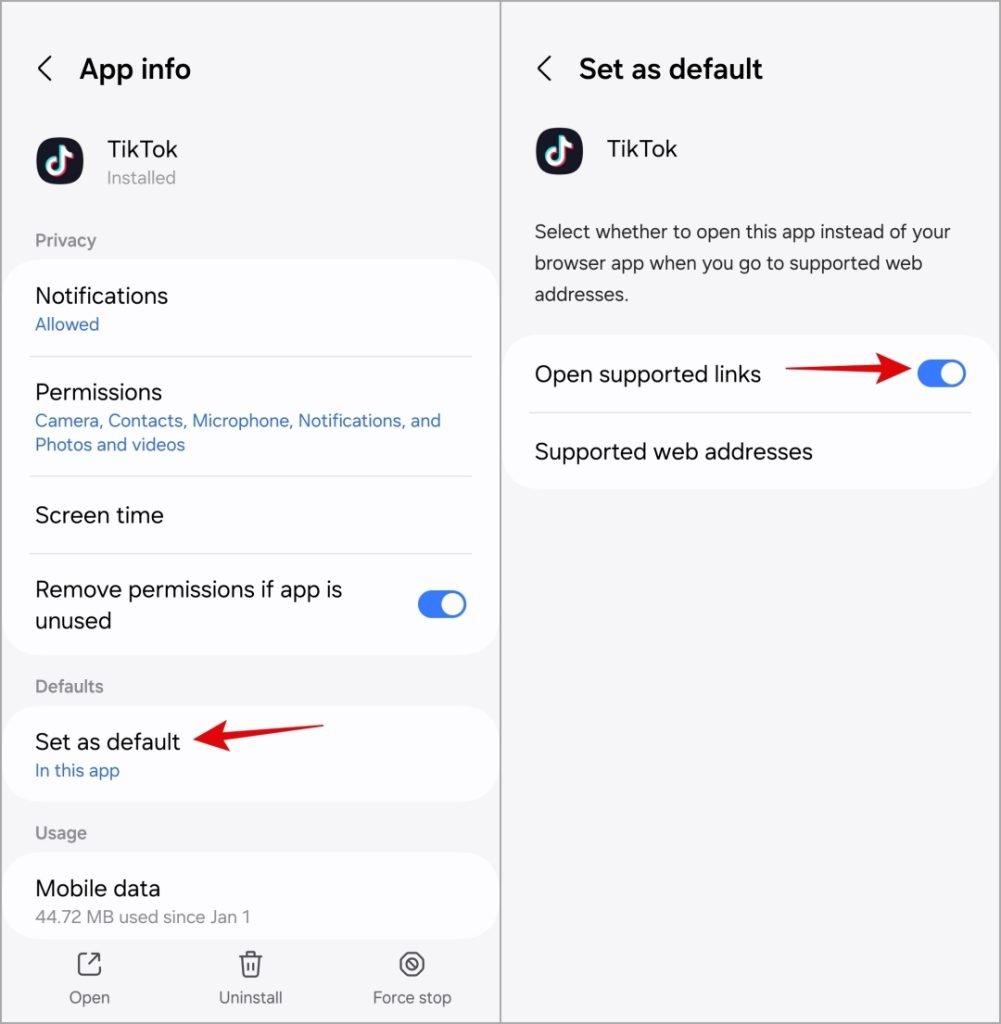
- Access App Info: Long-press the TikTok app icon and tap the info icon.
- Set as Default: Navigate to Set as default and toggle on Open supported links.
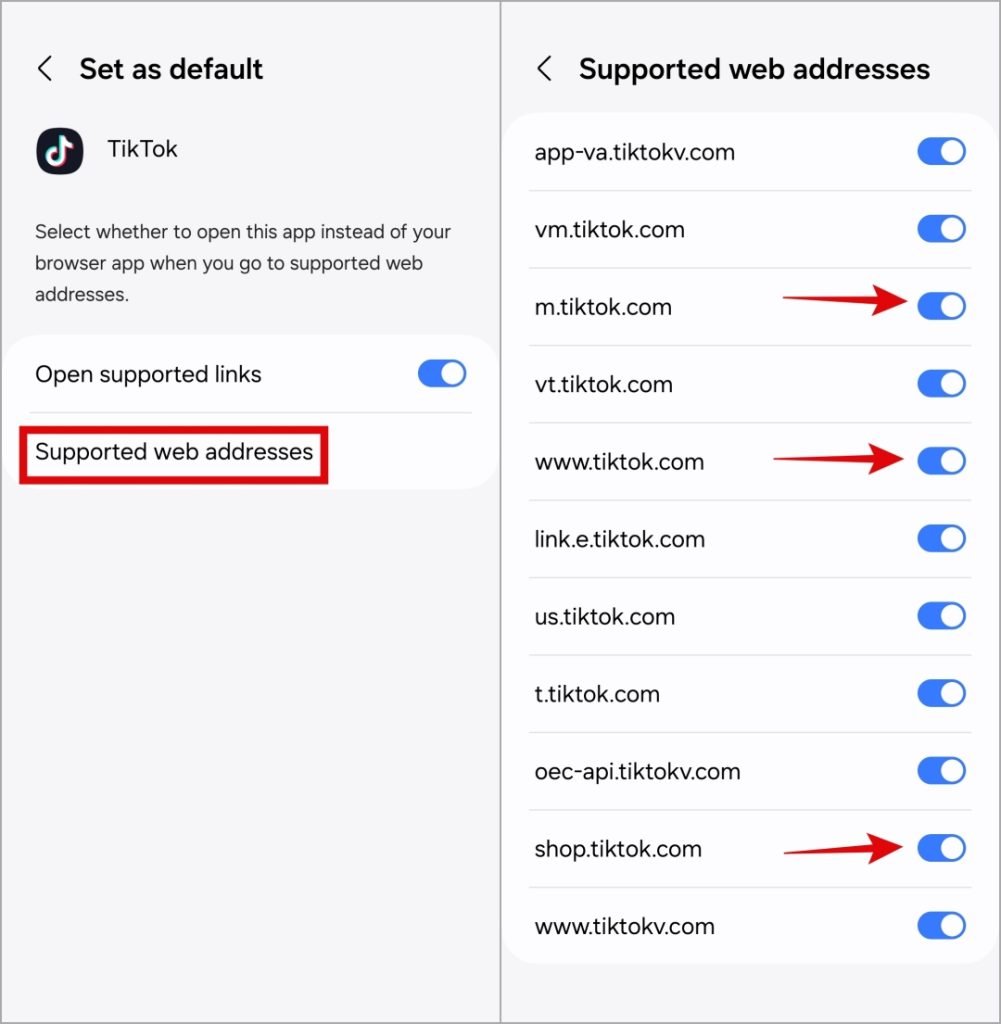
- Enable Web Addresses: Tap Supported web addresses and ensure all the toggles for supported links are turned on.
By enabling these settings, TikTok links will automatically open in the app instead of a browser.
4. Adjust Android Settings for Opening Links
If the issue persists across multiple apps, you may need to configure your Android’s general link-handling settings:
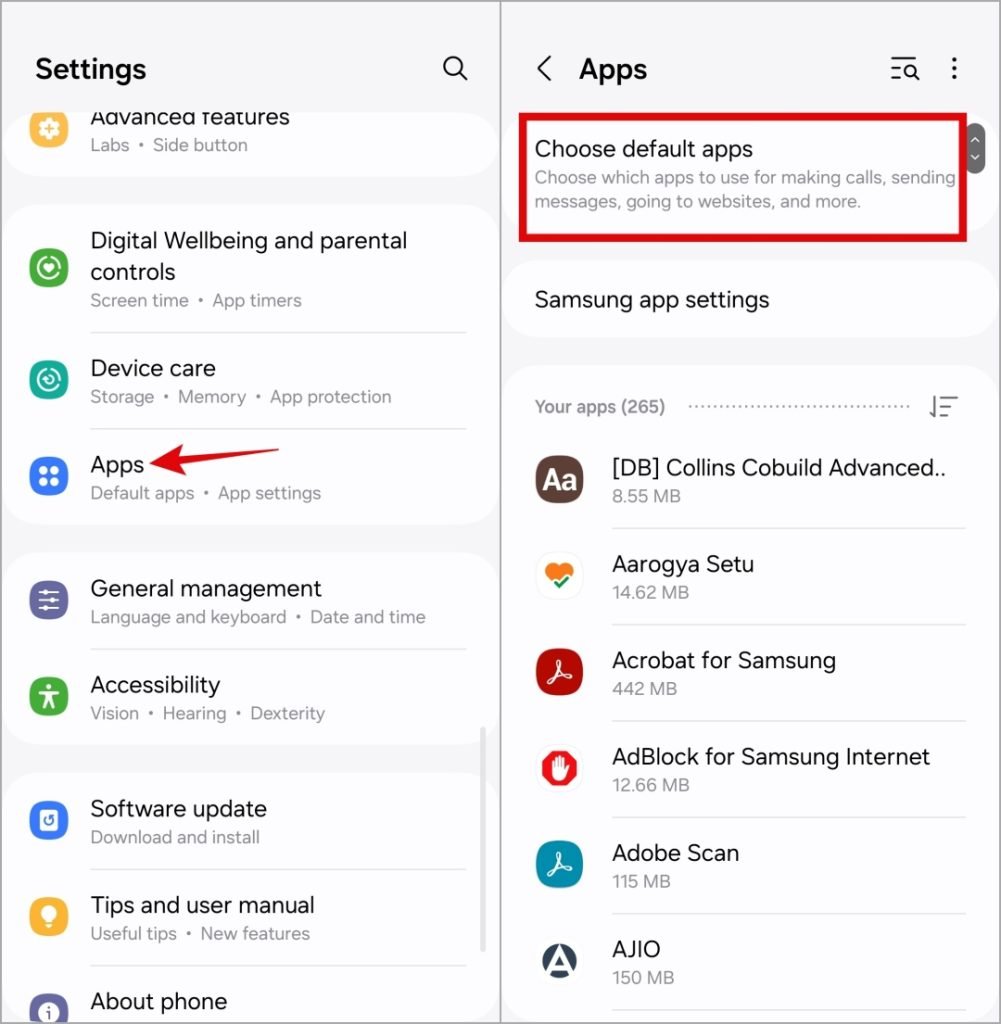
- Open Settings: Navigate to your device’s Settings app.
- Default Apps: Scroll to Apps > Default Apps.
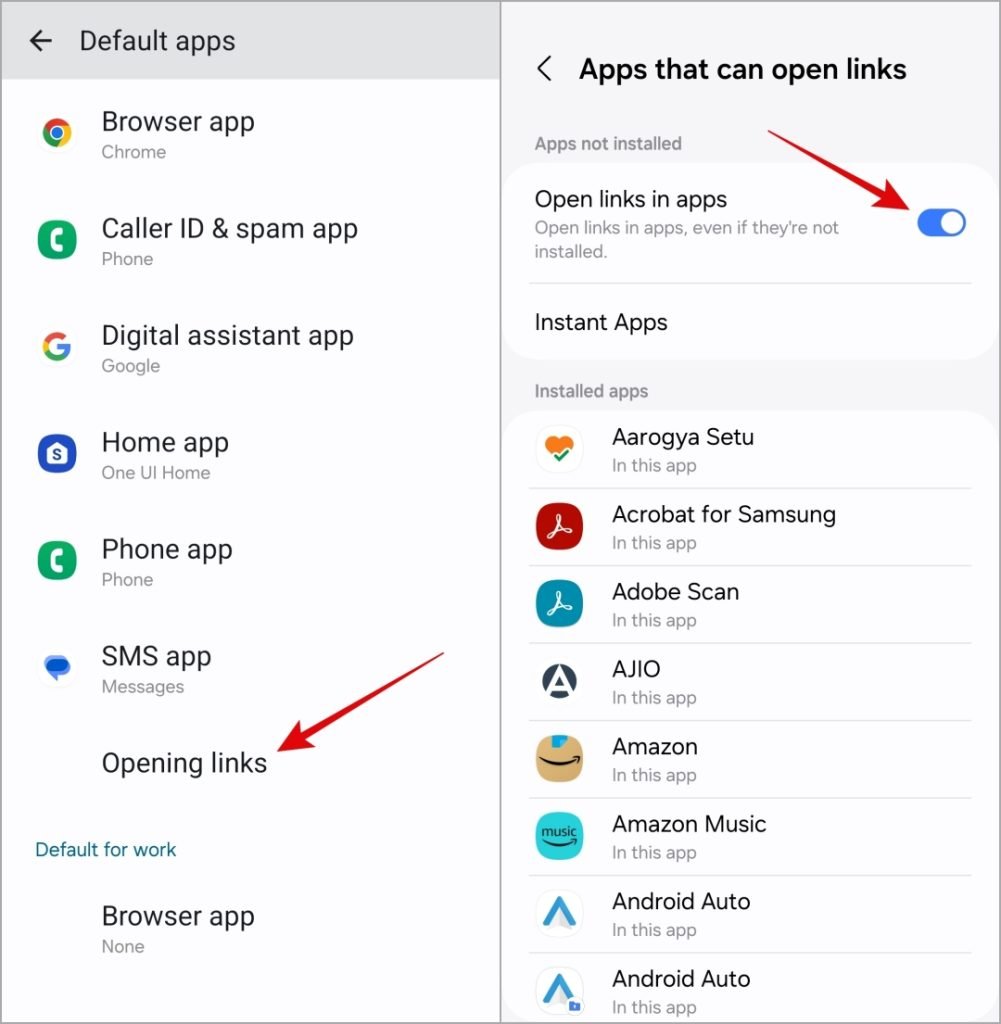
- Manage Link Handling: Tap Opening links and toggle on Open links in apps.
This setting allows all supported links, including TikTok, to open in their respective apps automatically.
5. Update the TikTok App to the Latest Version
An outdated TikTok app could cause link-handling issues. Here’s how to ensure you’re running the latest version:
- On Android: Open the Google Play Store, search for TikTok, and tap Update if available.
- On iPhone: Go to the App Store, search for TikTok, and tap Update if an update is available.
Regular updates fix bugs and optimize app functionality, helping resolve issues with links opening incorrectly.
Frequently Asked Questions (FAQs)
1. Why are TikTok links not opening in the app?
This can occur due to incorrect app configurations, expired links, or the TikTok app not being set as the default for opening links.
2. How can I open TikTok links in the app on iPhone?
You can copy the link, paste it into the Notes app, and select Open in TikTok from the menu.
3. How do I set TikTok to open links on Android?
Go to the TikTok app’s App Info, navigate to Set as default, and enable Open supported links.
4. What should I do if TikTok links still open in the browser?
Ensure your TikTok app is up-to-date, verify the link is valid, and check your device’s default app settings.
5. Can expired links cause this issue?
Yes, expired links are a common cause of TikTok links failing to open. Always ensure the link is active and valid.
Conclusion
Getting TikTok links to open directly in the app can save you time and frustration. Whether you’re using an iPhone or Android, the solutions outlined above—like configuring app settings, updating the TikTok app, and verifying links—are easy to follow and highly effective. If the issue persists, try additional troubleshooting or reinstall the TikTok app for a fresh start. Enjoy a seamless TikTok experience without browser redirects!