

In today’s digital age, email is essential for communication, app management, and accessing online services. Whether you’re setting up new apps, verifying accounts, or retrieving login details, knowing your email address is crucial. However, many people struggle to locate their email address on their smartphone, especially after purchasing a new device or resetting their old one.
This guide will walk you through the steps to find your email address on both Android and iPhone with ease.
How to Find Your Email Address on Android
When setting up an Android phone, a Google account is required, typically linked to a Gmail address. You may also add other email accounts such as Yahoo or Outlook later. Here are the methods to find your email address on an Android device:
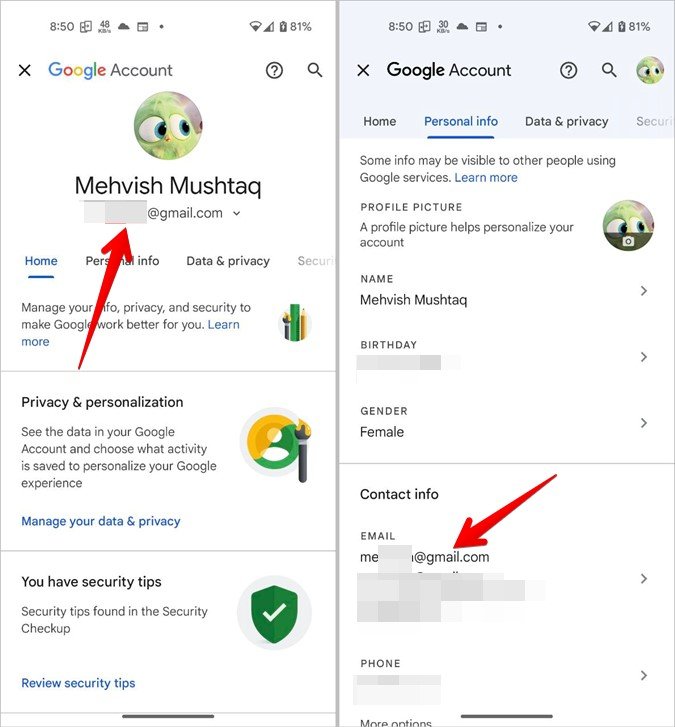
Method 1: From Google Account Settings
- Open Settings on your Android phone.
- Scroll down and tap on Google.

- Your email address will appear at the top of the screen.
- If it doesn’t show, tap Manage your Google Account.

- Navigate to Personal info and scroll to the Email section to find it.
Method 2: From Account Settings
- Go to Settings on your phone.
- Tap Passwords & accounts (or just Accounts on some devices).
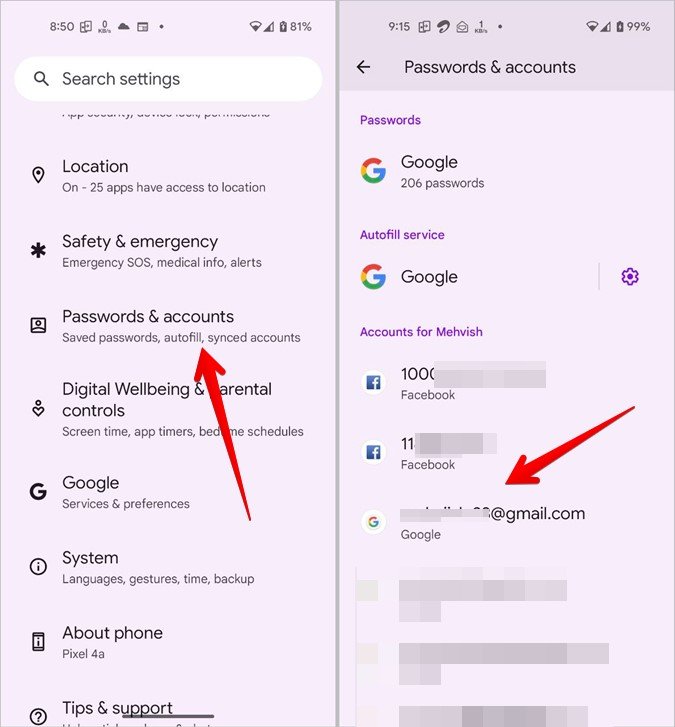
- Your Google email address will be listed under your default account.
Tip: On Samsung devices, go to Settings > Accounts and Backup > Manage Accounts to find this information.
Method 3: From Google Apps
- Open any Google app, such as the Play Store, Google Photos, or YouTube.
- Tap your profile icon at the top-right corner.
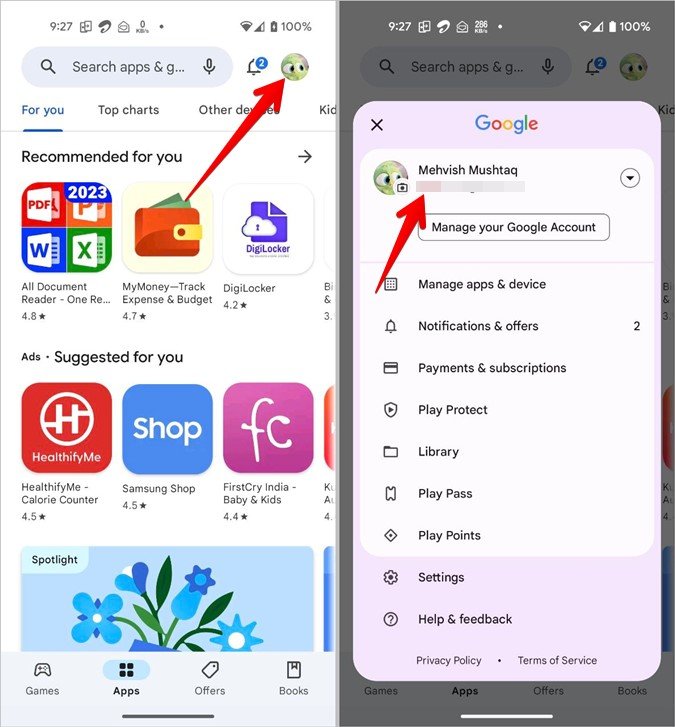
- Your default email address will be displayed here.
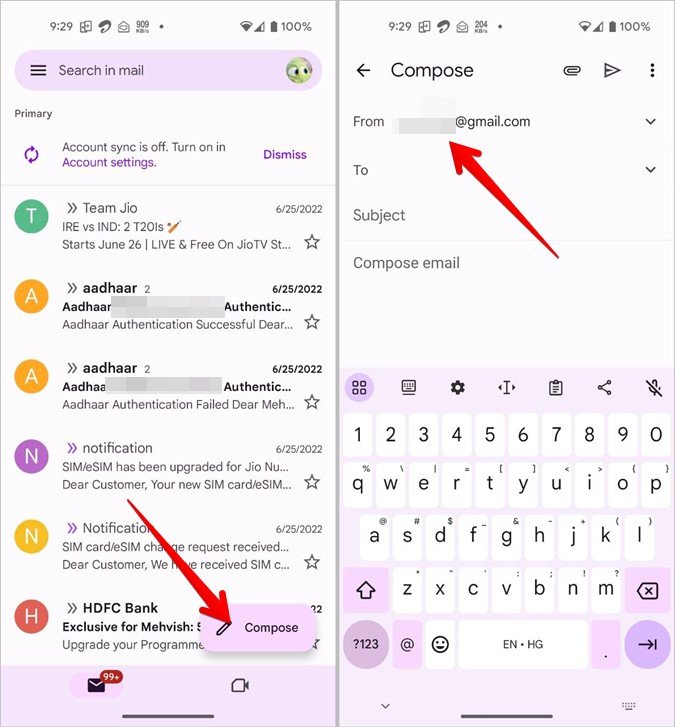
Method 4: From the Gmail App
- Launch the Gmail app on your phone.
- Tap the floating Compose button.
- Your email address will appear in the From field when composing a new email.
How to Find Your Email Address on iPhone
Your Apple ID and iCloud accounts are linked to your email address on iPhones. Here’s how you can easily locate your email:
Method 1: From iCloud Settings
- Open Settings on your iPhone.
- Tap your name at the top of the screen to open Apple ID settings.
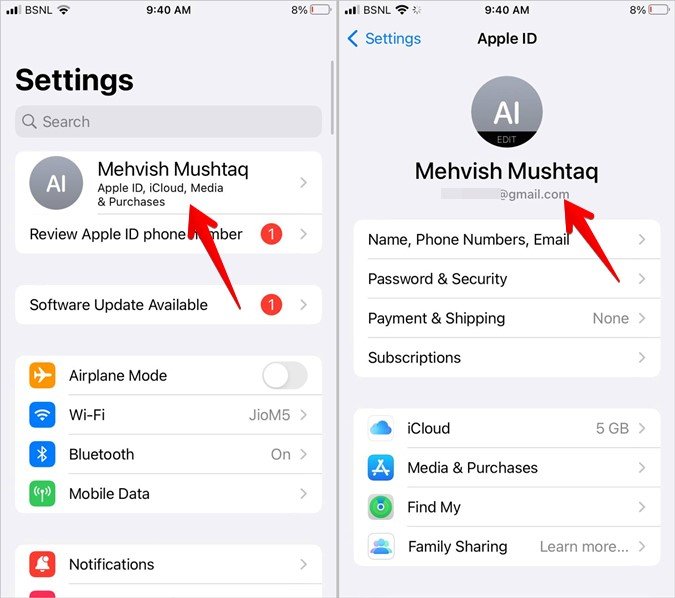
- Your Apple ID (email address) will appear below your name and profile picture.

- If it’s not visible, tap Name, Phone Numbers, and Email to view it.
Method 2: From Account Settings
- Go to Settings on your iPhone.
- Scroll down and tap Mail, then select Accounts.
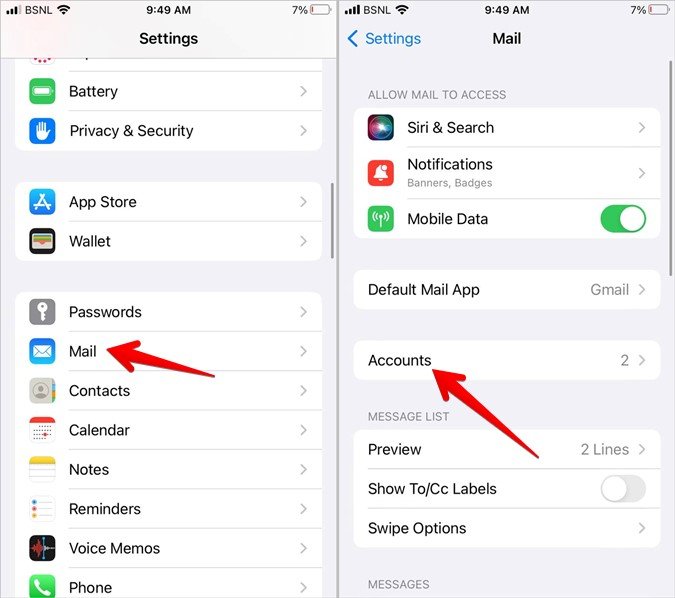
- Choose your iCloud or any other account to see the associated email address.
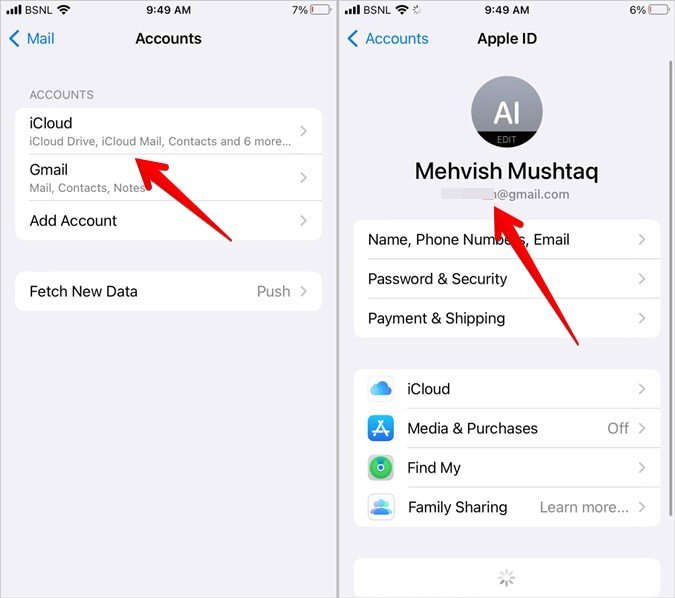
Tip: If you use Gmail on your iPhone, go to Settings > Mail > Accounts > Gmail to find your email.
Frequently Asked Questions
1. Is email the same as Gmail?
No, email refers to any electronic mail service, such as Gmail, Yahoo, or Outlook. Gmail is specifically the email service provided by Google.
2. How do I find my Gmail email address on my iPhone?
On an iPhone, go to Settings > Mail > Accounts, then select Gmail. Your email address will appear under the account details.
3. What is my Gmail username?
Your Gmail username is the part of your email address before the “@” symbol. For example, in example@gmail.com, your username is example.
4. Can I have more than one email account on my phone?
Yes, both Android and iPhone allow you to add multiple email accounts, including Gmail, Yahoo, Outlook, and more. You can manage and switch between them in your device settings or email apps.
5. Why is my email not showing up on my phone?
If your email isn’t visible, ensure that you are signed in to the correct account. Check account settings on your Android or iPhone and verify that the correct email is linked.
Conclusion
Knowing your email address is essential for managing apps, verifying accounts, and accessing online services seamlessly. Android users can quickly locate their email address through Google Account Settings, Account Settings, or apps like Gmail. For iPhone users, the iCloud settings or Mail Accounts sections in Settings make it simple to find this information.
By following these steps, you can easily retrieve your email address and stay connected to your digital life without any hassle.