

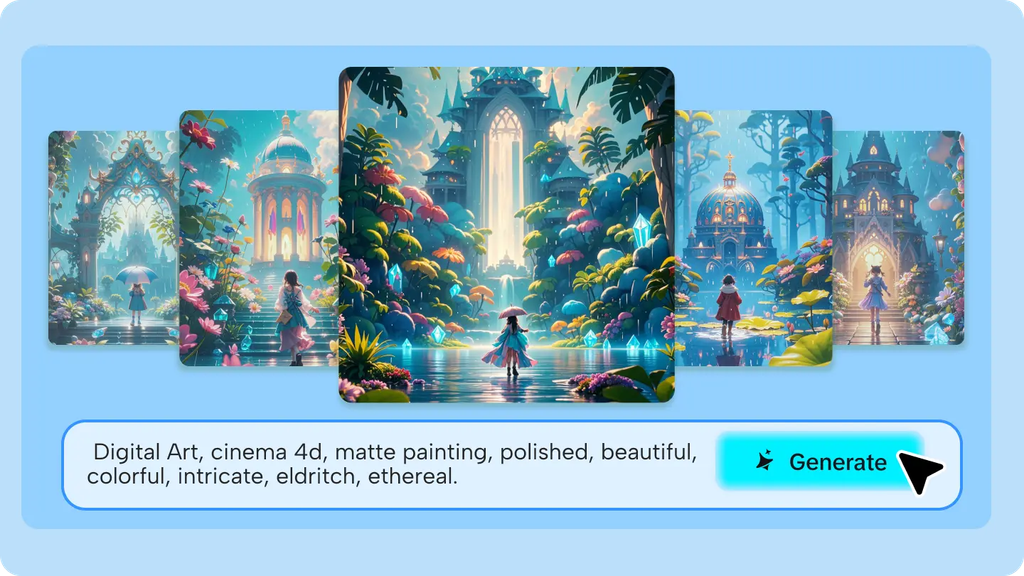
A coffee cup doesn’t have to just sit on a table. It could be the centerpiece of a tiny storm, a miniature world spilling out from inside it, or the anchor of a scene that turns something completely mundane into something worth a second look. Dreamina official AI image tool makes this kind of imaginative reframing genuinely easy, taking the most ordinary object and building an entire creative scene around it.
Dreamina, powered by its advanced image models like Seedream 5.0 Pro, GPT Image 2, and Nano Banana, handles this kind of object-centered creative transformation with real visual charm. Here’s how to actually pull it off.
Why ordinary objects make surprisingly strong subjects
Familiar objects work well precisely because their normal context is so well established, which makes any imaginative twist immediately noticeable. A viewer instantly recognizes a coffee cup, which means the unexpected element built around it, a storm, a tiny world, a burst of color, reads as genuinely surprising rather than confusing.
Picking the right object to start with
Not every object translates equally well into an imaginative scene. A few qualities to look for:
- A recognizable, simple silhouette that reads clearly at a glance
- An object with an existing everyday association to play against
- Enough surface or space to build an imaginative element around or within it
- Something small enough to feel intimate rather than overwhelming
Choosing your imaginative twist
Once you’ve picked an object, the next decision is what kind of unexpected concept to build around it:
- A miniature natural phenomenon, weather, seasons, tides
- A tiny world or landscape existing within or around the object
- An unexpected material transformation, turning the object into something else
- A living quality, the object behaving as though it has its own personality
Keeping the object recognizable despite the twist
The whole appeal depends on a viewer immediately recognizing the everyday object underneath the imaginative concept. Keeping the object’s actual proportions, material, and typical context intact, even as something extraordinary happens around it, is what makes the contrast land effectively.
Your 3-step object reimagining with Dreamina
Step 1: Write a text prompt and/or add a reference image
Navigate to Dreamina and write a detailed text prompt describing a person interacting with the everyday object if your scene includes a figure, along with the specific imaginative twist you’ve chosen for that object. If you have a reference photo of the actual object, upload it to keep its appearance accurate.
A strong sample prompt might read: A steaming ceramic coffee cup on a wooden kitchen table, a tiny imaginative storm swirling just above the rim, miniature lightning flashes and small clouds, warm cozy morning light, whimsical creative composition.
Anchoring the imaginative twist directly to the object’s real shape and use keeps the scene feeling grounded rather than random.
Step 2: Adjust parameters and generate
First step is to define your requirements. You are required to configure Image 5.0 Pro powered by Seedream 5.0 Pro so select that mode while defining aspect ratio, image size and resolution parameters – stick to square ratio which allows for a more pinpoint composition and maintain 2K resolution to allow the realistic and imaginative artefact to keep both crisp. Click on Dreamina generate icon to create your scene.
Step 3: Customize and download
After your scene is created, improve it using Dreamina’s AI customization tools: inpaint to enhance the details of the creative element, expand it for better context, remove it to clear the idea from unnecessary stuff, and retouch to balance the lighting between the object of artistic inspiration and its decorated supplement. When the scene is wonderful enough, hit the download button.
Meet Seedream 5.0 Pro: charm through precise detail
A handful of Seedream 5.0 Pro’s specific capabilities are particularly well-suited to this kind of object-focused creative work.
Multi-layer visual control for isolated whimsy
Multi-layer visual control separates the everyday object from its imaginative addition, making it possible to adjust the fantastical element without disturbing the object’s real appearance.
Pinpoint precision editing for fine detail balance
With point selection, lasso, sketch guidance, and regional controls, pinpoint precision editing lets you fine-tune the scale and placement of the imaginative twist relative to the object.
Deep reasoning generation for a coherent concept
Deep reasoning generation analyzes your prompt’s relationships before generating, helping the object and its imaginative addition feel like one cohesive idea rather than two unrelated things stitched together.
2K output for charming fine detail
Since the appeal here often lives in small, delightful details, 2K output quality preserves that fine texture and clarity.
Building a themed series across multiple objects
Once one object-and-twist combination works well, it’s a natural next step to apply the same imaginative concept, like a miniature weather system, across several different everyday objects- a teacup, a book, a houseplant- creating a cohesive, charming series rather than a single standalone image.
Where this kind of imaginative content performs well
Object-centered imaginative scenes have genuine appeal across several contexts:
- Social media content built around whimsy and delight
- Editorial illustration for lifestyle or creative writing
- Personal creative projects exploring pure playfulness
- Brand storytelling that reframes everyday products imaginatively
Final thoughts
The most ordinary object in your kitchen or on your desk has more creative potential than it seems, and Dreamina’s official AI image tool makes unlocking that potential genuinely simple.
With Dreamina and its advanced models, an everyday item can anchor a scene that’s genuinely surprising and charming.
Pick something familiar, choose one clear imaginative twist, and let Dreamina turn the ordinary into something worth a second look.